Curriculum
Curriculum
- 8 Sections
- 1 Lesson
- 2 Hours
Expand all sectionsCollapse all sections
- Section 1: Welcome & Course Overview (5 Minutes)Welcome to the course! In this section, you'll understand how the course is structured, explore the AI tools we'll use, and get a clear overview of the final project. By the end, you'll know exactly what you'll build—a complete AI-powered marketing campaign for a real brand.1
- Section 2: Understanding the Client (10 Minutes)Every great campaign starts with understanding the client. Learn how to analyze a creative brief, define campaign goals, identify the target audience, and select a real brand for your project. This section lays the strategic foundation before any design work begins.0
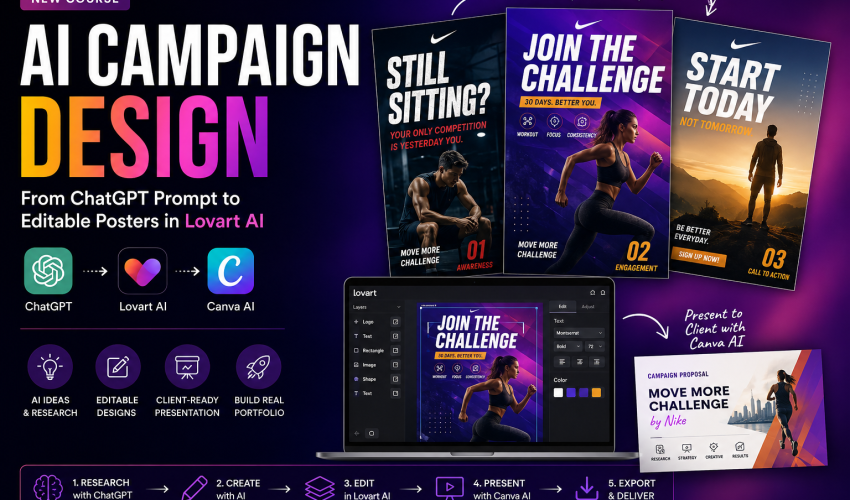
- Section 3: AI Research & Campaign Planning (20 Minutes)Use ChatGPT as your AI creative assistant to research your chosen brand, analyze competitors, understand the audience, and develop a campaign strategy. You'll also learn prompt engineering techniques to generate high-quality visual concepts for your campaign.0
- Section 4: Designing the Campaign with AI (20 Minutes)Transform your campaign ideas into visuals by creating three connected marketing posters: Awareness, Engagement, and Call to Action. You'll learn how to generate multiple concepts, refine prompts, and maintain consistency across the entire campaign.0
- Section 5: Editing & Refining in Lovart AI (20 Minutes)AI-generated images are just the starting point. In this section, you'll convert your visuals into fully editable designs using Lovart AI. Learn how to edit typography, replace elements, fix AI-generated mistakes, improve layouts, and prepare professional-quality campaign assets.0
- Section 6: Client Presentation with Canva AI (10 Minutes)Present your campaign like a creative agency. Learn how to organize your work into a professional Canva AI presentation, explain your design decisions, showcase campaign strategy, and prepare an impressive client-ready pitch.0
- Section 7: Final Project Submission (10 Minutes)Bring everything together by completing your final campaign project. You'll submit your creative brief, brand research, campaign strategy, three campaign posters, editable Lovart AI files, and a Canva AI presentation to build a portfolio-ready case study.0
- Section 8: Bonus Resources & TemplatesAccess downloadable templates, prompt libraries, campaign planning worksheets, presentation templates, design checklists, and additional resources to help you create professional AI-powered marketing campaigns even after completing the course.0
Instructor

1 Student1 Course
Reviews